

























Make Integration & Workflow Automation

Connect your systems and automate your work with Make

Your business runs on more than one platform. CRM, ERP, project management, finance, marketing, service, and other systems all hold pieces of the processes your teams rely on every day.

Make helps connect those systems so data and work can move between them automatically. But effective automation requires more than connecting one app to another. Without the right process design, integrations can become difficult to maintain, troubleshoot, and scale.

That's where the process architects come in. We partner with your team to turn the right processes into reliable Make automations, connecting systems and data while building solutions your team can understand, manage, and scale.

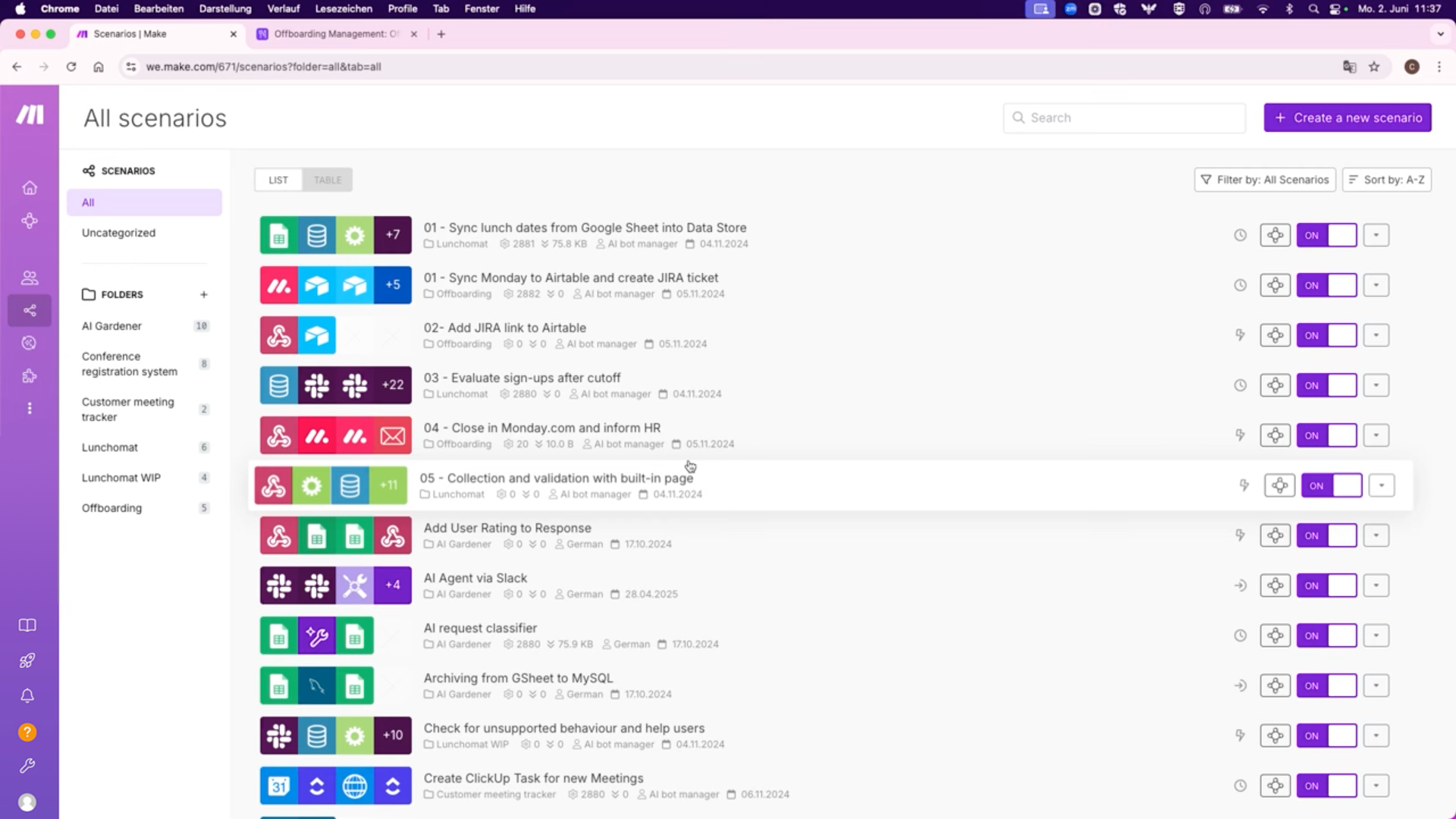
Make workspace

  • Make image
    Make avatar
    Make

Co-create Make automation that works across your business

Our Make experts help you connect the platforms your teams already depend on, automate repetitive work, and keep critical data moving across your business. We combine process architecture with technical integration expertise to build automations that are reliable, understandable, and ready to scale.

Make Certified Partner badge

Trusted by:

  • MacKenzie-Childs logo
  • Wellpointe logo
  • Duke University logo
  • Brilliant logo
  • Merchant Investment Management logo
  • Alberici logo
  • GR0 Logo
  • Guardian Fall logo
  • Legendary Capital logo
  • Salem Sports Events logo

When your Make setup
needs structure

Make is designed to connect your systems and automate the processes between them. As your automation ecosystem grows, so do your scenarios, integrations, data flows, dependencies, and business-critical workflows. Without the right architecture, governance, and optimization, your Make environment can become harder to manage, troubleshoot, and scale.

Icon

Manual Data Entry

Teams repeatedly enter the same information across CRM, ERP, project management, finance, and other systems, wasting time and increasing the risk of errors.

Icon

Disconnected Systems

Critical information lives across multiple platforms, but without reliable integrations, teams have to manually bridge the gaps between them.

Icon

Automation Sprawl

Individual automations solve immediate problems until dozens of scenarios, triggers, and dependencies make the overall process difficult to understand, troubleshoot, and maintain.

Icon

Broken Handoffs

A process moves from sales to operations, operations to finance, or one platform to another, but the handoff still depends on someone manually creating, updating, or notifying the next step.

Icon

Integration Reliability

Duplicate records, inconsistent properties, outdated contacts, and incomplete data reduce reporting accuracy and AI effectiveness.

Icon

AI Readiness

AI can accelerate work, but it cannot fix a broken process or unreliable data flow. Your workflows, integrations, and data need a solid foundation before AI automation can deliver meaningful results.

What we build with Make

A strong Make automation ecosystem does more than move data from one app to another. We design integrations and automated workflows around your real business processes, connecting systems, reducing manual work, and creating reliable data flows that can scale with your organization.

Talk with an Expert
Icon

System & Application Integrations

Connect your CRM, ERP, monday.com, finance, marketing, service, and other business applications so information moves where it needs to go without manual handoffs.

Icon

Cross-Platform Workflow Automation

Automate multi-step processes that span teams and systems, from triggers and approvals to record creation, updates, notifications, and downstream actions.

Icon

CRM & Revenue Operations Automation

Connect lead capture, CRM, sales, quoting, contracting, onboarding, and other revenue workflows to reduce duplicate entry and keep customer data synchronized.

Icon

ERP & Operational Integrations

Connect ERP data with the systems teams use for planning, project management, procurement, fulfillment, and other day-to-day operations.

Icon

Data Synchronization & Transformation

Move, map, format, enrich, and synchronize data between systems so teams have consistent information without manually cleaning or re-entering it.

Icon

API & Custom Integrations

Use APIs, webhooks, and custom Make scenarios to connect platforms and business processes when a standard out-of-the-box integration isn't enough.

Icon

AI-Enabled Automation

Integrate AI into the right parts of your workflows for tasks like classification, summarization, content generation, data extraction, and intelligent routing, while keeping your underlying processes and data structured.

Icon

Automation Governance & Optimization

Design error handling, monitoring, documentation, naming standards, and scenario architecture that make your Make environment easier to troubleshoot, maintain, govern, and scale.

Make operations workspace

Operations

Automate cross-functional processes and connect the systems your teams rely on to keep day-to-day work moving.

  • Project and work management automation
  • Cross-team handoffs
  • Approval workflows
  • Task and record creation
  • Status synchronization
  • Notifications and escalations
  • Operational data workflows
Quote Icon
Dor Winter
Dor Winter Avatar

"The team at Polished Geek has an amazingly deep background across multiple industries and business verticals. Their level of business consulting experience combined with their exceptional monday.com expertise delivers real value and impact for clients, and has made them one of our top monday.com partners in North America."

Dor Winter

monday.com Partnerships Manager

Quote Icon
Tom Sagi
Tom Sagi Avatar

"Right from the moment we signed up for monday.com, I realized that if we want to move quickly we'll have to use an expert. With Polished Geek's help, we built together systems that we couldn't build alone in a million years."

Tom Sagi

DTC eCommerce Brand Builder

Quote Icon
Andrea Scott
Andrea Scott Avatar

"Polished Geek has taken almost everything my team does on monday.com and made it easier or more automated or more functional for us. Even though I thought I had a really in-depth understanding of monday, they showed me things I didn’t know existed. They challenged the ways that we’re doing things and how we think about our workflows."

Andrea Scott

Legendary Capital

Icon

FrequentlyAskedQuestions

Make is a visual automation and integration platform that connects applications, systems, and data so work can move between them automatically. Businesses can use Make to automate repetitive tasks, synchronize data, manage cross-system workflows, trigger notifications and approvals, and connect tools that otherwise require manual handoffs.

Make can automate processes across sales, marketing, operations, finance, customer service, project management, and other teams. Common examples include lead routing, CRM updates, approvals, data synchronization, document creation, notifications, customer onboarding, reporting workflows, and moving information between business systems.

Make can connect thousands of applications and services, including CRM, ERP, project management, marketing, finance, communication, and productivity platforms. It can also connect systems through APIs and webhooks when a standard integration does not meet the requirements of the workflow.

Start with processes that are repetitive, rules-based, time-consuming, or require people to manually move information between systems. Before automating, the underlying process should also be reviewed. Automating a poorly designed process usually makes the problem faster, not better.

Yes. Depending on the system's capabilities, Make can use APIs, webhooks, HTTP requests, and other methods to create custom connections. The right approach depends on the applications involved, their available APIs, security requirements, and how data needs to move between them.

Simple automations can often be built internally. As workflows become more complex, organizations need to consider architecture, error handling, data quality, documentation, governance, security, and long-term maintainability. A Make consultant can help design the process and automation together so the solution remains reliable as the business grows.

Yes. Polished Geek can review existing Make scenarios to identify unnecessary complexity, unreliable workflows, data issues, error-handling gaps, and opportunities to improve performance and maintainability. We can optimize what is working rather than requiring you to rebuild everything from scratch.

We start by understanding the process, systems, data, and business outcome before building the automation. From there, we design the integration architecture, co-create and test Make scenarios with your team, document the solution, and optimize it as your processes and technology ecosystem evolve.

The cost depends on the number of systems being connected, workflow complexity, data requirements, custom API work, and the number of automations involved. Polished Geek scopes Make projects around the business processes and outcomes you need rather than using a one-size-fits-all implementation package.